These tutorials are based on the older SketchUp 8, not the new web based versions.
I drew all my plans with the free Sketchup 8 from 2012 and
continue to use that version. If you have the older version 8, I recommend sticking
with that. If you know someone who has Sketchup 8, ask them for a copy. It's only 35 megabytes.
On Jay Bates's SketchUp page you will
also find a link to download the old version 8.
You can no longer download the old version 8 off the SketchUp website. I think they removed
that to force you to use the newer web based version and annoy you into paying for something
better. As of 2024, I'm still using version 8.
Sketchup versions from 2013 onwards only allowed you to install the much larger
full pro evaluation version, which after 8 hours of usage disables the "pro only" features,
but leaving you with much more stuff on your hard drive.
And at some point the free version became a version that only runs in your browser.
I only briefly tried the web version and didn't like it, though it's very convenient if you
only want to view an existing model and not install anything.
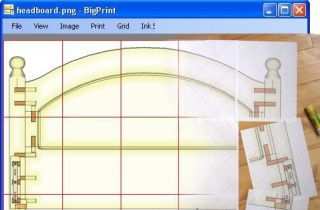 Make large 1:1 printouts using my My BigPrint
program
Make large 1:1 printouts using my My BigPrint
program
 Beginning woodworking
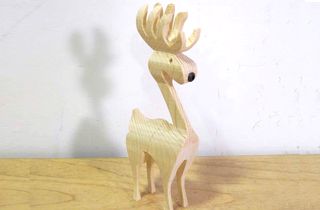 Bandsaw reindeer
 Woodworking plans
 Woodworking projects